%20--%3e%3cg%3e%3cpath%20d='M3.1506524,86.9652365v-15.1247382c9.032272,3.3614992,19.2412694,5.0422487,30.6269924,5.0422487,13.8215046,0,20.733261-4.6205553,20.733261-13.863674,0-6.7229983-4.2450473-10.0844975-12.7291178-10.0844975h-14.11669C9.22103,52.9345756,0,44.5328357,0,27.727348,0,9.2431187,13.1287225,0,39.3861676,0c10.0824894,0,19.6408742,1.4699029,28.6731461,4.4097086v15.1247382c-9.032272-3.3594911-18.5906567-5.0402407-28.6731461-5.0402407-15.1247382,0-22.6871073,4.4117166-22.6871073,13.2331419,0,6.7229983,3.6546765,10.0824894,10.9660376,10.0824894h14.11669c19.6187855,0,29.4281782,8.4037479,29.4281782,25.2092357,0,18.9039147-12.4761017,28.3578801-37.4323214,28.3578801-11.385723,0-21.5947204-1.4699029-30.6269924-4.4117166Z'/%3e%3cpath%20d='M153.1367009,86.9652365c-7.7732158,2.9418138-16.5966491,4.4117166-26.4682918,4.4117166-32.3499113,0-48.524867-15.6488429-48.524867-46.9485367C78.1435421,14.8094721,94.3184977,0,126.6684091,0c9.8716427,0,18.695076,1.4699029,26.4682918,4.4097086v15.1247382c-7.7732158-3.3594911-16.1749557-5.0402407-25.2072276-5.0402407-21.6368898,0-32.4543307,9.9780701-32.4543307,29.9342103,0,21.6368898,10.8174409,32.4543307,32.4543307,32.4543307,9.032272,0,17.4340118-1.6807496,25.2072276-5.0422487v15.1247382Z'/%3e%3cpath%20d='M162.7478955,90.746421V.628524h16.7010684v37.1813134h44.4284164V.628524h16.6990604v90.117897h-16.6990604v-38.4423776h-44.4284164v38.4423776h-16.7010684Z'/%3e%3cpath%20d='M253.3402959,90.619913V.628524h40.9624979c18.4018987,0,27.602848,8.0463125,27.602848,24.1369295,0,10.8816989-7.1627644,19.8938902-21.4903011,27.0345659l28.5486461,38.9464016h-21.048527l-27.41409-39.2616677v-7.6246191c15.966117-2.7309671,23.9481715-8.9258446,23.9481715-18.5906567,0-6.6366516-3.7390152-9.9559814-11.2170456-9.9559814h-22.8758653v75.3064168h-17.0163345Z'/%3e%3cpath%20d='M346.1048212,90.746421h-17.1408345L367.2155983.628524h17.9601246l39.0729097,90.117897h-17.9621326l-10.2712475-24.5766955h-29.9342103l5.7350308-14.4942061h18.1488826l-14.17894-33.8419029-29.6811942,72.9128045Z'/%3e%3cpath%20d='M494.923315.628524v14.3697061h-45.1211985v22.6871073h42.9785942v14.9339721h-43.1673522v23.6329054h46.1935047v14.4942061h-62.579307V.628524h61.6957589Z'/%3e%3cpath%20d='M583.0873657,86.5877204c-7.2691917,3.1928218-16.3637137,4.7892327-27.2875819,4.7892327-31.8037179,0-47.7055769-15.6488429-47.7055769-46.9485367,0-29.6189443,16.1749557-44.4284164,48.524867-44.4284164,9.8716427,0,18.695076,1.4699029,26.4682918,4.4097086v15.1247382c-7.7732158-3.3594911-16.1749557-5.0402407-25.2072276-5.0402407-21.6368898,0-32.4543307,9.9780701-32.4543307,29.9342103,0,21.6368898,10.2089975,32.4543307,30.6269924,32.4543307,3.0241444,0,6.4679742-.5040241,10.3334974-1.5120722v-26.2172838h16.7010684v37.4343294Z'/%3e%3cpath%20d='M660.5383949.628524v14.3697061h-45.1211985v22.6871073h42.9785942v14.9339721h-43.1673522v23.6329054h46.1935047v14.4942061h-62.579307V.628524h61.6957589Z'/%3e%3cpath%20d='M676.8599392,90.619913V.628524h40.9624979c18.4018987,0,27.602848,8.0463125,27.602848,24.1369295,0,10.8816989-7.1627644,19.8938902-21.4903011,27.0345659l28.5486461,38.9464016h-21.048527l-27.41409-39.2616677v-7.6246191c15.966117-2.7309671,23.9481715-8.9258446,23.9481715-18.5906567,0-6.6366516-3.7390152-9.9559814-11.2170456-9.9559814h-22.8758653v75.3064168h-17.0163345Z'/%3e%3c/g%3e%3cpath%20d='M784.4642496,75.9375v15.4394531h-16.7001953v-15.4394531h16.7001953Z'/%3e%3c/svg%3e)
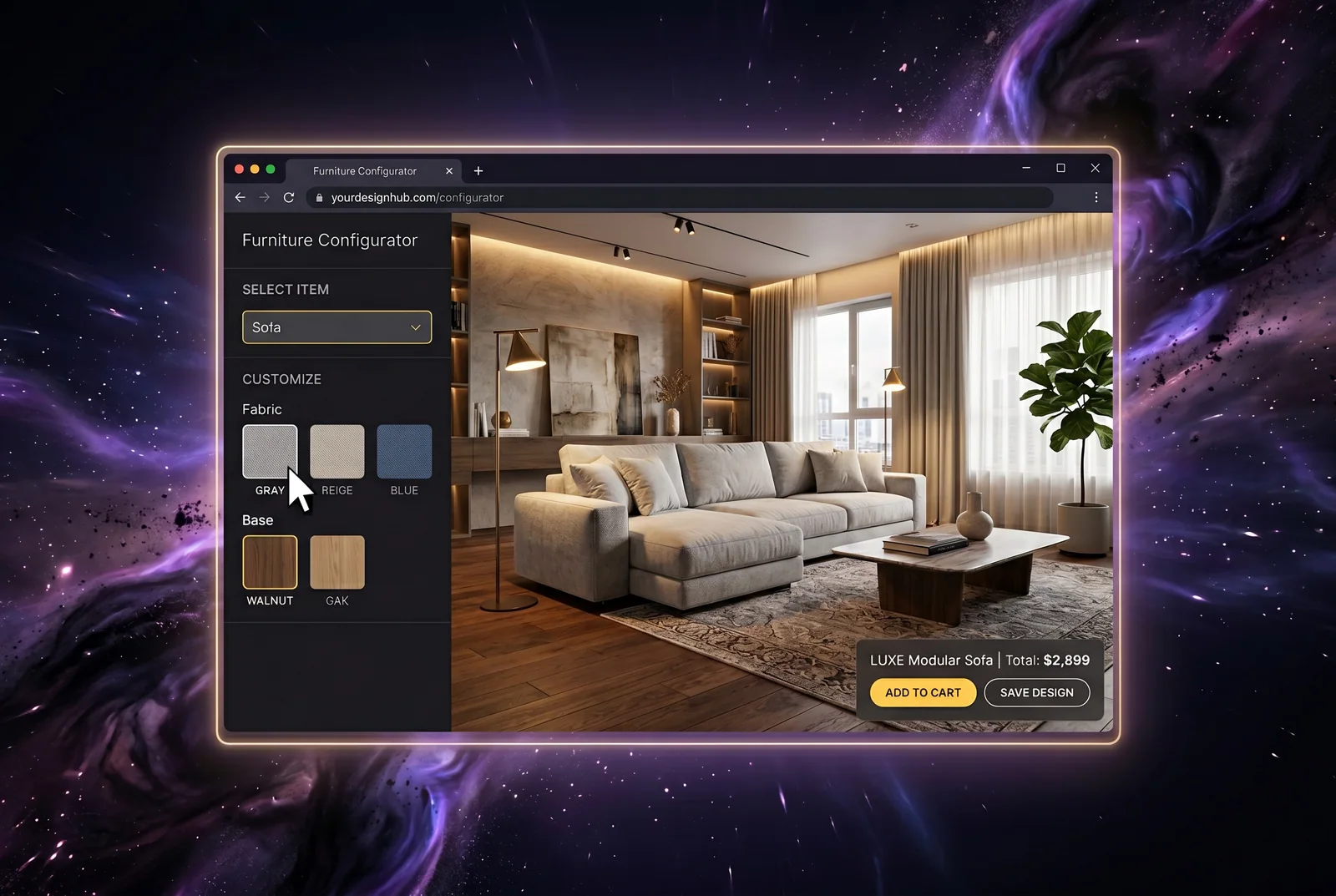
A customer changes a material or colour and sees the choice in a spatial scene. Pixel Streaming can make complex 3D experiences accessible in a browser. It requires more than importing a model.
Where the image is created
The 3D application runs on a remote computer. Its CPU and GPU calculate the scene; the browser receives a continuous video stream and sends interactions back. No additional installation of the 3D application is needed on the device. The stream still transfers data.
This is described by Epic Games in its technical overview of Pixel Streaming. The technology moves rendering work to the server; it does not eliminate it.
The path of a selection
- In the browser: The customer selects a wood finish, for example.
- In the 3D application: The selection is checked and applied to the correct material.
- Back to the customer: The server calculates the updated view and streams it back.
What needs clarifying before launch
Product data, suitable materials, configuration rules and a clear interface remain project work. Linking prices, a basket or an enquiry requires explicit setup. A material selector is not a complete shop integration.
Server capacity, connection setup and network quality affect the experience. Test typical mobile connections and several simultaneous sessions. A promise such as “no waiting” would not be reliable.
Streaming or 3D rendered in the browser?
For simpler products, 3D calculated directly in the browser may fit well. Streaming can suit complex scenes and demanding lighting or materials. Choose according to presentation goals, devices and running costs; neither technology makes the other universally unnecessary.
What a configurator should achieve
The effect alone does not decide: Can customers distinguish relevant variants? Does their selection remain clear? Can they reach the right enquiry or order? These questions can be tested. More willingness to buy or more sales is not automatically guaranteed.
Watch our video overviewEditorially revised on 26 October 2026.